
SNMP activation on a NEXT UPS Systems

This tutorial has been made available to the entire Esia community thanks to the contribution of our partner Rcarré.
Their website: https://www.rcarre.com
Via the WEB interface
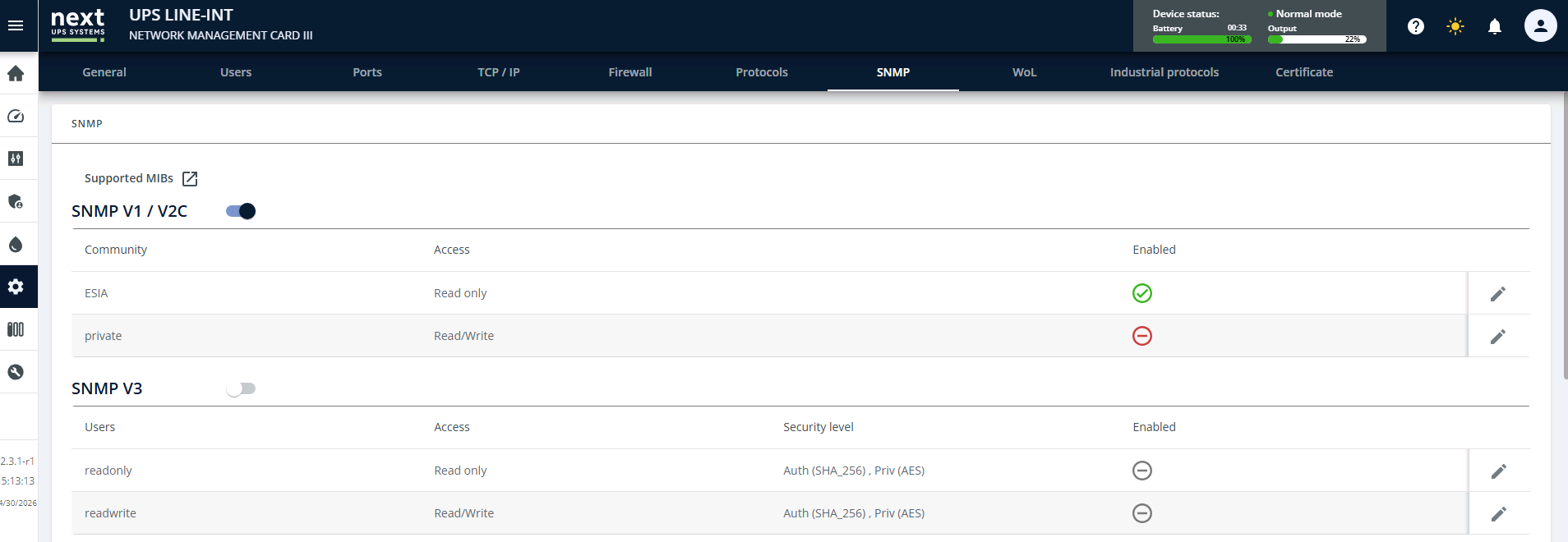
To configure SNMP, go to the « Administration » menu, then to the « SNMP » tab. Here you can either create an SNMP V1 / V2C community, or configure an SNMP V3 access. In both cases, only a “Read only” privilege is required.
Next, you need to configure the UPS firewall. Still in this « Administration » menu, go to the « Firewall » tab. In the « SNMP » section, for the network interface, tick the “State” box to make it “Active”. The port is normally already on 161, so all that's left to do is click on Save“.
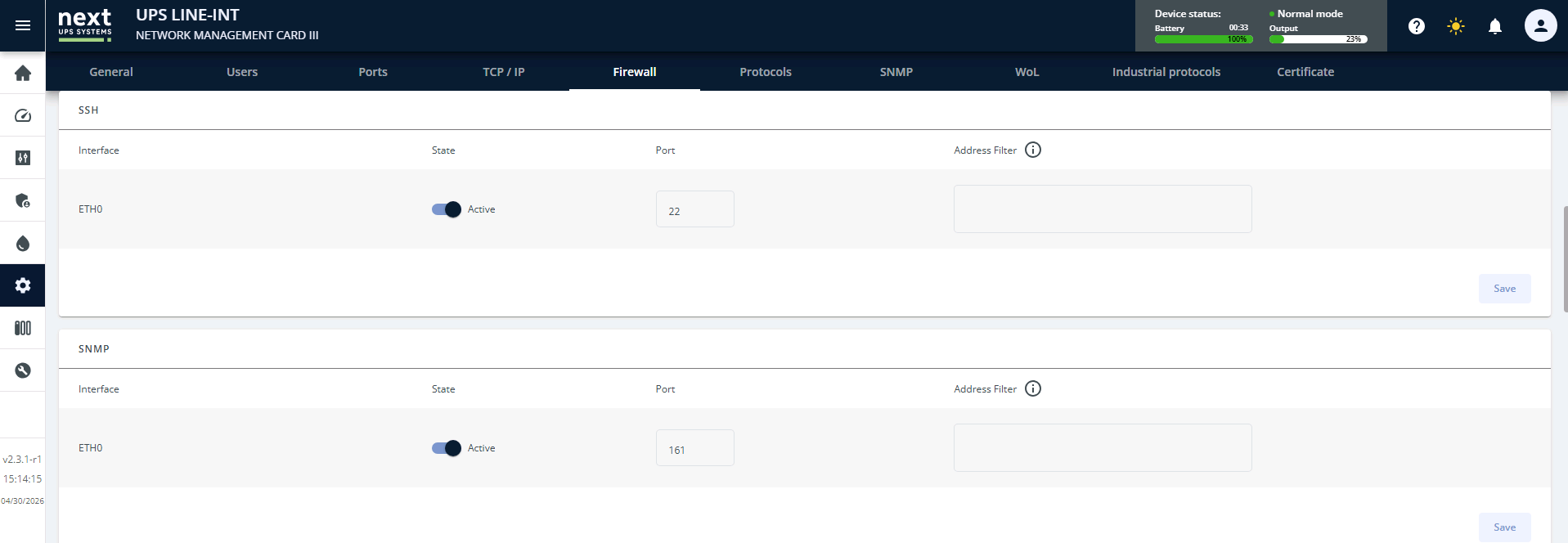
Your UPS is now configured for SNMP polling.
en/snmp/snmp_ups_next.txt · Last modified: by q.george
